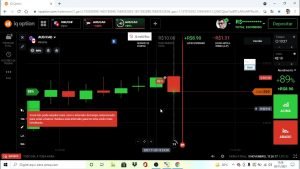
Open a free practice account on IQ Option: https://iqoptionwiki.com/go/iq-option/?src=yt-topic-scripts-add&lang=en
Affiliate link: we may earn a commission if you sign up, at no cost to you.
Trading carries a high risk: you can lose all the money you deposit. Never trade money you can’t afford to lose.
How to get a script from our free library and add it to the chart in the IQ Option web traderoom, step by step: download the file, check that Practice is the account in use, import it, press Add to chart and check the lines. If you edited the code, press Save before Add to chart. We tested the scripts in an emulator on test data and the import only in the desktop web traderoom, not the app; a script only draws on the chart and places no trades.
Full guide: https://iqoptionwiki.com/iq-option-scripts/
Scripts library: https://iqoptionwiki.com/iq-option-scripts-library/
0:00 Save first, then get the script
0:19 Check Practice, then import the file
0:38 Add it to the chart and check it
0:52 Export, delete and what we tested
1:07 Questions before you add one